How to Get Price Error Alerts Before Everyone Else
Price error alerts are only worth what their speed buys you. Here's how alert systems work, why free channels lag, and how to actually be first.
 By The Lab TeamUpdated

In this guide
Speed is the entire business model of a price error. The listing is wrong, someone notices, and it gets corrected — everything profitable happens between those two moments. Price error alerts exist to put you inside that window, and the difference between a good alert setup and a casual one is the difference between shipped orders and out-of-stock pages. This guide explains where alerts actually come from, why most channels are structurally late, and how to build a setup that gets you there first.
The alert pipeline, end to end
Every price error alert travels the same path, and every hop adds delay:
- The error goes live. A repricing job, a feed sync, or a fat-fingered promo publishes a wrong price. Nobody knows yet.
- Something detects it. Either a monitor (software checking prices continuously and flagging out-of-band drops) or a human stumbles onto it.
- Someone verifies it. Is it in stock? Does it survive checkout? Wrong-image listings and dead carts waste everyone's time.
- It gets distributed. Posted to a group, a channel, a forum — each audience reposts it to the next, larger, slower audience.
- The correction lands. The retailer fixes the price or pulls the listing, and the window closes.
Your position in step 4's chain is almost everything. The first room an alert lands in gets minutes of exclusive runway. The tenth repost on a public forum gets a screenshot of what used to be possible. If you are new to how these mistakes happen in the first place, start with what a price error actually is — knowing the failure modes makes alerts much easier to evaluate at a glance.
Good alerts also carry context. A raw product link is not enough. You want the current price, normal price, retailer, stock state, fulfillment path, category, likely resale floor, and whether anyone has reached confirmation. Without that, the alert is just a noise source with better branding.
Where alerts come from
There are only three real sources, whatever the branding says:
- Monitors. Software that polls product pages, category feeds, and APIs around the clock, comparing each price against history. When something drops far out of band, it fires. This is the only source that works at 3 a.m., and it is the backbone of every serious alert operation.
- Insider hunters. People who have developed an eye for where errors cluster — post-promo launches, clearance automation, marketplace feed syncs — and check those seams deliberately. Slower than monitors, better at weird finds monitors are not tuned for.
- Crowd runoff. Public forums and social feeds. High volume, zero exclusivity. Useful for post-mortems and learning, structurally too late for buying.
A strong community stacks the first two and treats the third as research. When you evaluate any paid group, the first question is: do they run their own monitors, or are they reposting someone else's pings? Repost groups add a hop to the pipeline — you are paying to be later.
What makes an alert actionable
An alert earns attention when it answers the buy/no-buy question fast:
| Signal | Why it matters |
|---|---|
| Retailer and SKU | Lets you verify the exact product instead of chasing a screenshot |
| Price and normal price | Shows whether the discount is real enough to justify speed |
| Fulfillment path | Pickup today, ship-to-home, freight, and backorder all have different risk |
| Stock state | "In stock near you" is different from "limited quantity online" |
| Exit notes | Sold comps, fees, and shipping determine whether the price is actually profitable |
| Status updates | Confirmed checkout, confirmed pickup, dead cart, or corrected price saves wasted clicks |
This is why the best alerts look almost boring. They do not just yell "run." They compress verification into a few seconds so you can act while the window is open.
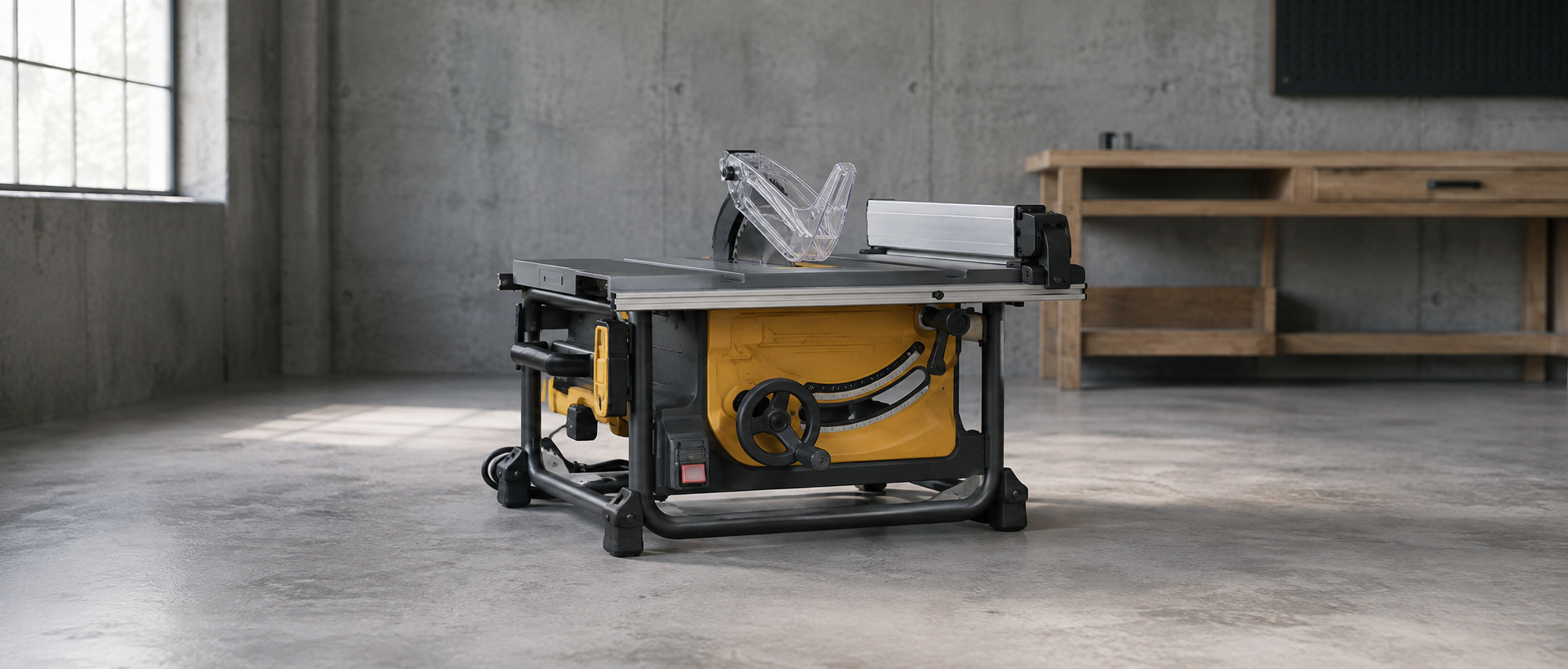
The DEWALT table saw price error is a clean example: the alert carried the Amazon price, previous price, average price, discount percentage, and comping shortcuts before members started reporting shipped and delivered orders.
The HP ProDesk price error shows the same alert-to-delivery pattern at bundle scale: a $144 desktop-and-monitor ping became a nine-bundle order and confirmed delivery.
Free vs. paid channels, honestly
| Free public channels | Serious alert community | |
|---|---|---|
| Source | Reposts and crowd finds | In-house monitors + hunters |
| Typical position in chain | Late — third hop or worse | First or second hop |
| Verification | Rare — dead links common | Checked before posting |
| Noise level | High — every mediocre deal | Curated — errors and real outliers |
| Membership size | Unlimited | Capped or vetted, or the alerts stop mattering |
That last row deserves emphasis. Alerts are a rivalrous good: every additional person acting on the same ping is competing for the same stock. A group that lets in everyone eventually becomes its own crowd runoff. Capped, vetted communities are not gatekeeping for fun — they are protecting the thing you are paying for. It is the same logic behind The Lab's waitlist: fewer people per alert means each member actually has a shot.
How to evaluate an alert group before paying
Run any group through this checklist before subscribing:
- Ask where the alerts originate. In-house monitors are the right answer. Vague hand-waving about "sources" means reposts.
- Check the timestamps. Screenshots of wins should show the alert time versus the public-forum time for the same error. Minutes of lead are the product.
- Look for verification norms. Posts should carry stock status and working links, not raw URLs sprayed into a channel.
- Count the noise. Twenty pings a day of 15%-off coupons buries the one alert that matters. Curation is a feature, not a limitation.
- Confirm the exit knowledge. Good groups discuss what an item resells for, not just what it costs. An alert without a resale floor is half an alert.
Build your receiving stack
Being early is wasted if the alert dies in your notification settings. The receiving side takes twenty minutes to set up properly:
- Dedicated notification channel. Put error alerts in their own channel or server, and enable push for that channel specifically — not the whole app. Discord's Notifications Settings 101 documentation describes custom server notification controls, which is the level of control you want for high-value alerts.
- Bypass silent mode. Whatever your platform calls it (critical alerts, priority notifications), grant it to this one channel. A 2 a.m. error does not care about your sleep schedule; decide deliberately whether you do.
- Logged-in accounts, saved payment, saved addresses at the retailers that matter. Checkout friction is self-inflicted latency — the pipeline you control completely.
- A resale-check habit. One tab to sold listings, thirty seconds, before any large commitment. Speed matters, but speed into a bad buy is just a faster mistake.
- A quantity rule you set in advance. Decide your default order size for honored-if-shipped categories before the adrenaline hits.
Segment the alerts by response type, not just by retailer. A shipped online price error is a checkout race. A pickup-eligible store error is a store-distance calculation. A clearance monitor hit belongs in the slower sourcing workflow from Home Depot clearance hunting or the Lowe's clearance aisle guide. The notification should tell your brain which playbook to run.
Alerts are one leg of the stool
Alerts get you to the door first; they do not carry the inventory home. The resellers who compound month over month pair fast alerts with patient sourcing — the kind covered in clearance flipping at big-box stores — so their margin never depends on a single lucky window. Build the alert stack this week, build the sourcing routine next, and let the two feed each other: alert wins fund clearance buys, and clearance instinct tells you instantly whether an alerted item is actually worth carrying.